

Description
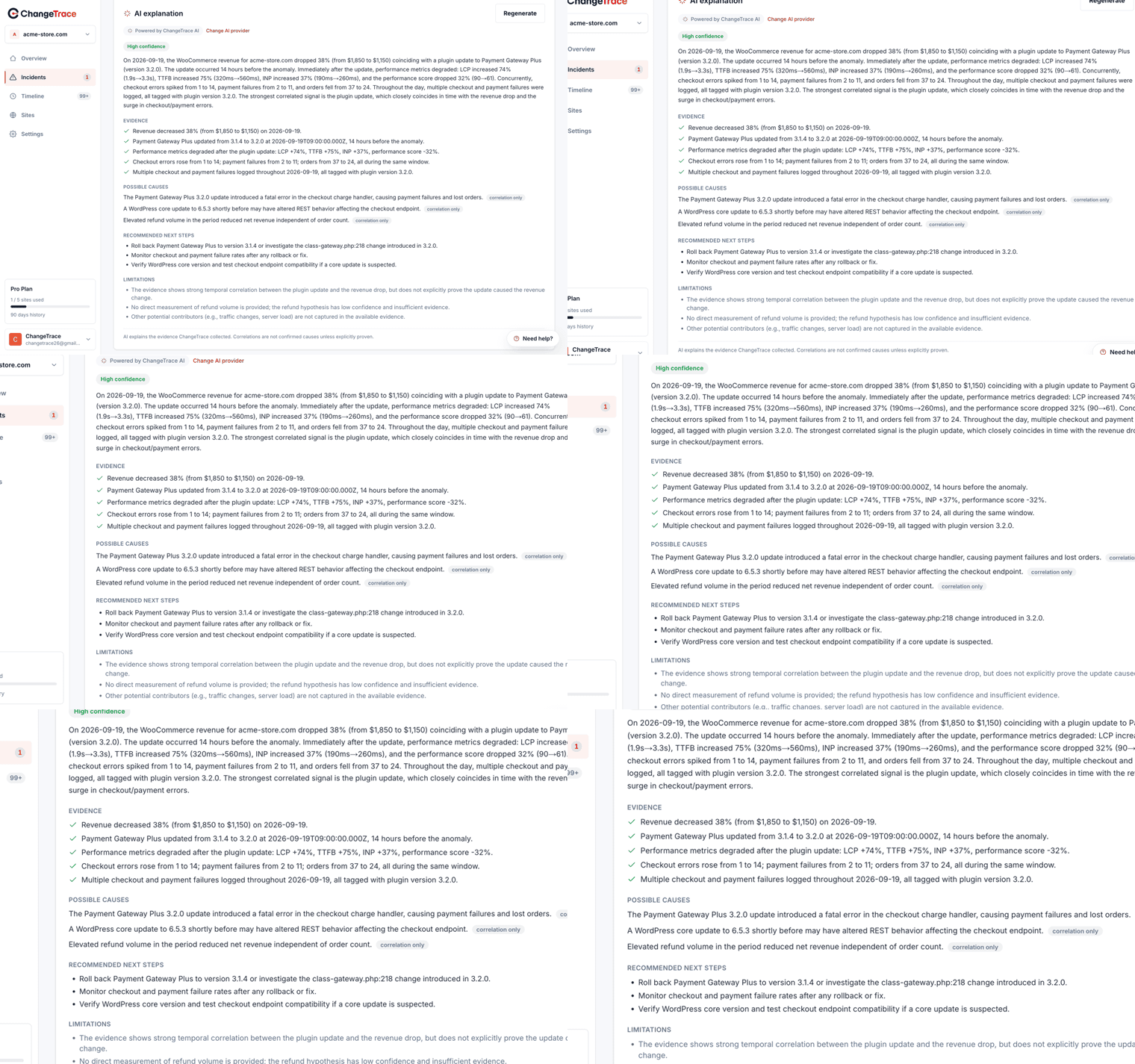
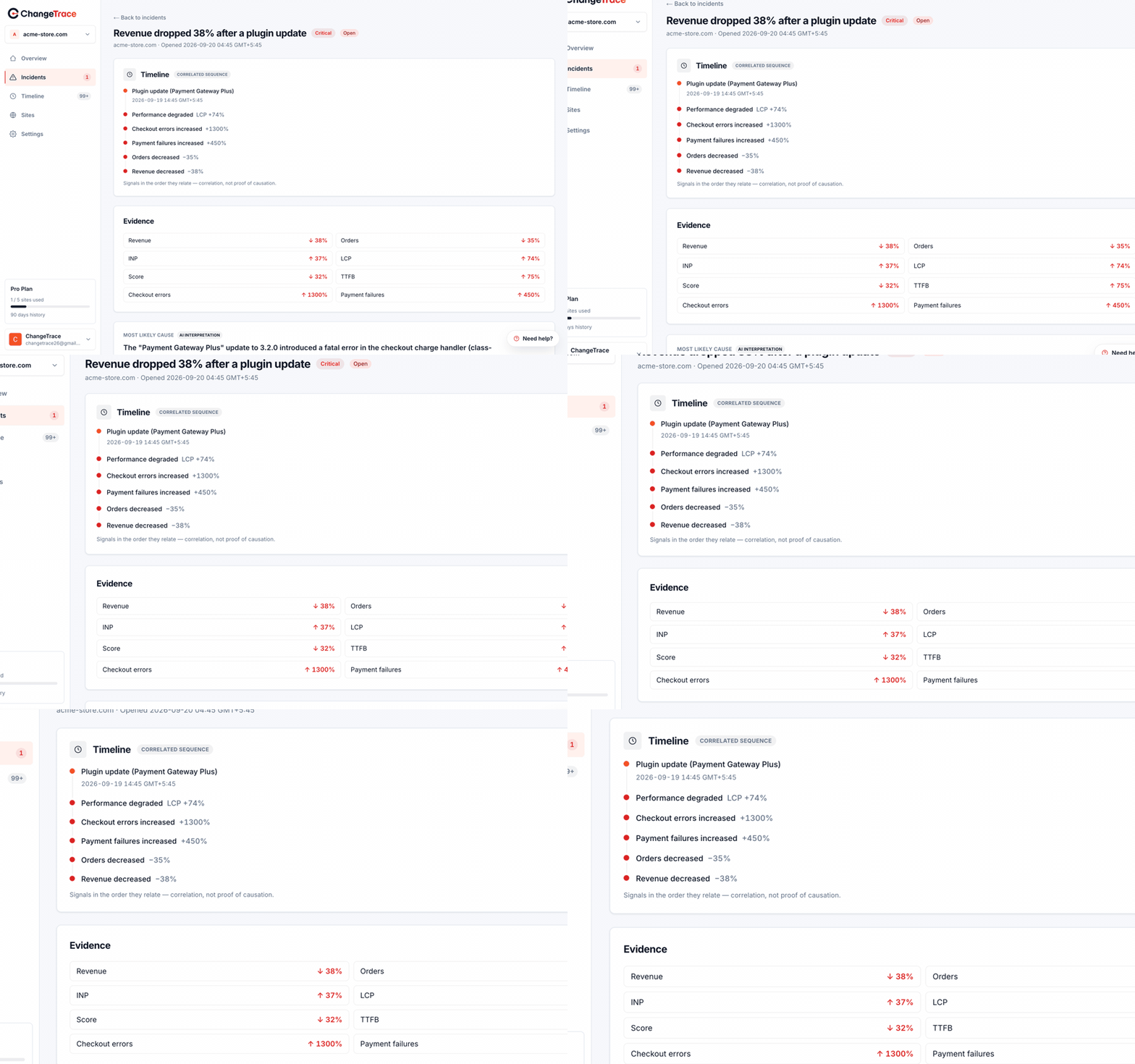
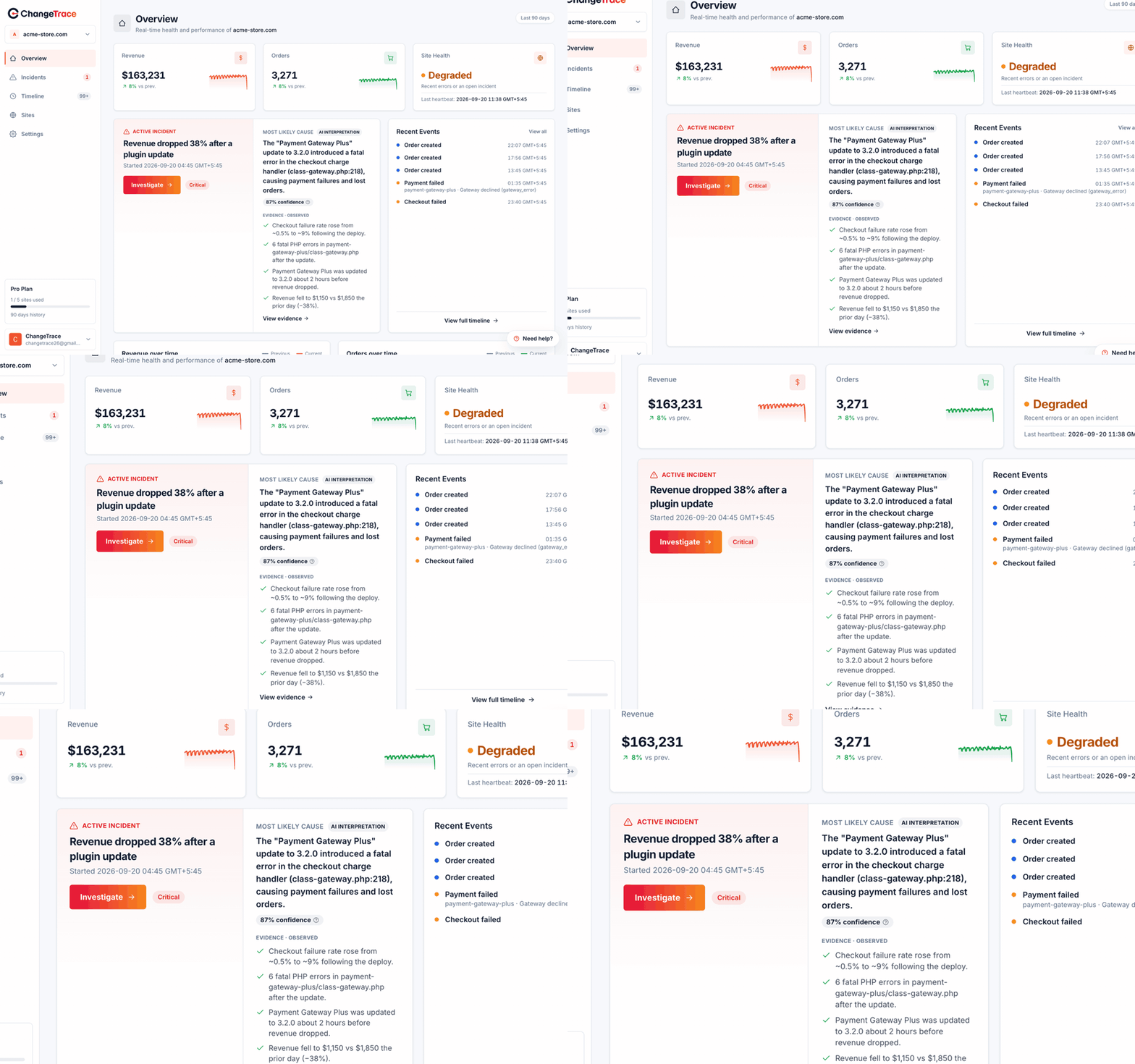
ChangeTrace watches your WordPress and WooCommerce site for meaningful changes and
errors and sends them to the ChangeTrace service (a cloud dashboard at
https://app.change-trace.com), where they are correlated against metrics to surface
the most likely cause of a movement, with evidence.
This plugin is the on-site agent. It does nothing until you connect it: you paste a
site token generated in the ChangeTrace dashboard, and only then does the plugin begin
sending data to the ChangeTrace API.
What it collects (once connected):
- A one-time baseline snapshot on connect: your active plugins and theme and their
versions, plus WordPress, PHP, and WooCommerce versions. - An hourly heartbeat so the dashboard knows the site is alive.
- Change detection — plugins installed, activated, deactivated, updated or removed;
theme changed or updated; WordPress core updated; PHP version changed. - Watched site options — a short, fixed allowlist (permalink structure, siteurl, home,
active plugins, template, stylesheet, blog_public, core auto-update policy, and
WooCommerce payment gateway settings). Only the option NAME and a summary of its shape
(type, size/length, and a short one-way hash) are sent — never the option’s value. - Error capture — PHP fatals/errors (shutdown + error handler, fails silently),
frontend JS errors (window.onerror, unhandled rejections, failed/5xx fetch & XHR;
sampled), and 5xx/timeouts on WordPress’s outbound HTTP and its own REST API. - Commerce activity — if WooCommerce or Easy Digital Downloads is active: orders,
failed orders, failed payments, refunds, and checkouts started/failed. Each carries the
order id, the amount, the store currency, the payment method and the order status. No
customer names, addresses, emails or line items are collected.
All error payloads are PII-stripped (emails, credentials, form values, card numbers)
and size-capped before they are queued and sent. Events are held in a bounded local queue
and sent in batches (roughly every 5 minutes) with retry/backoff.
Performance: collection is event-driven and adds no scheduled work beyond two WP-Cron
jobs (an hourly heartbeat and a 5-minute queue flush). The queue is a single non-autoloaded
option capped at 500 events. The plugin does not measure page speed on your server — page
performance is measured by ChangeTrace from outside, so nothing runs in your visitors’
browsers except the small sampled JavaScript error handler.
A ChangeTrace account is required. ChangeTrace is a third-party SaaS. See the
“External services” section below for exactly what is sent and where.
External services
This plugin connects to the ChangeTrace service to send monitoring data. This connection
is required for the plugin to do anything, and only starts after you connect the plugin
with a site token from the ChangeTrace dashboard.
Services used
- ChangeTrace API — https://api.change-trace.com
- ChangeTrace dashboard (web app) — https://app.change-trace.com
What data is sent, and when
- On connect (once): a baseline snapshot — your active plugins and theme with versions,
and your WordPress, PHP, and WooCommerce versions. - Every hour: a heartbeat (site is alive) plus your site token in the request header.
- Roughly every 5 minutes (when there is activity): a batch of events — detected changes
(plugin/theme/core/PHP/watched options), captured errors (PHP/JS/HTTP), and, when
WooCommerce or Easy Digital Downloads is active, commerce events carrying the order id,
amount, store currency, payment method and status. Error payloads are PII-stripped and
size-capped. Watched-option values are never sent — only the option name and a summary
of its shape. - On connect, your browser is sent to https://app.change-trace.com to sign in and approve
connecting this site.
Your site token is stored on your site and only ever sent to the API as an Authorization
header; the API stores only a hash of it. No data is sent before you connect.
This service is provided by ChangeTrace. By connecting your site you agree to their terms
and privacy policy:
- Terms of Service: https://change-trace.com/terms-of-service
- Privacy Policy: https://change-trace.com/privacy-policy
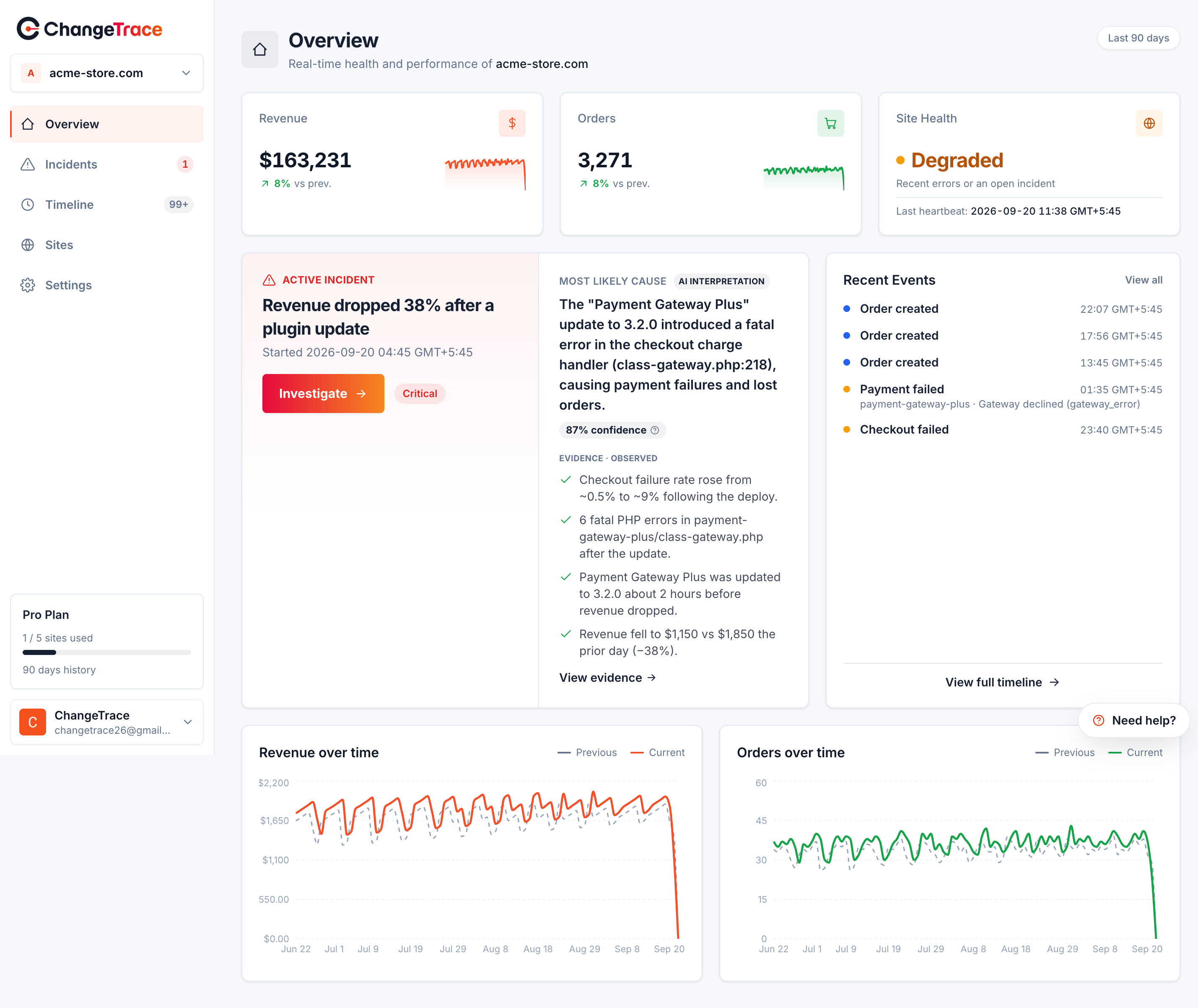
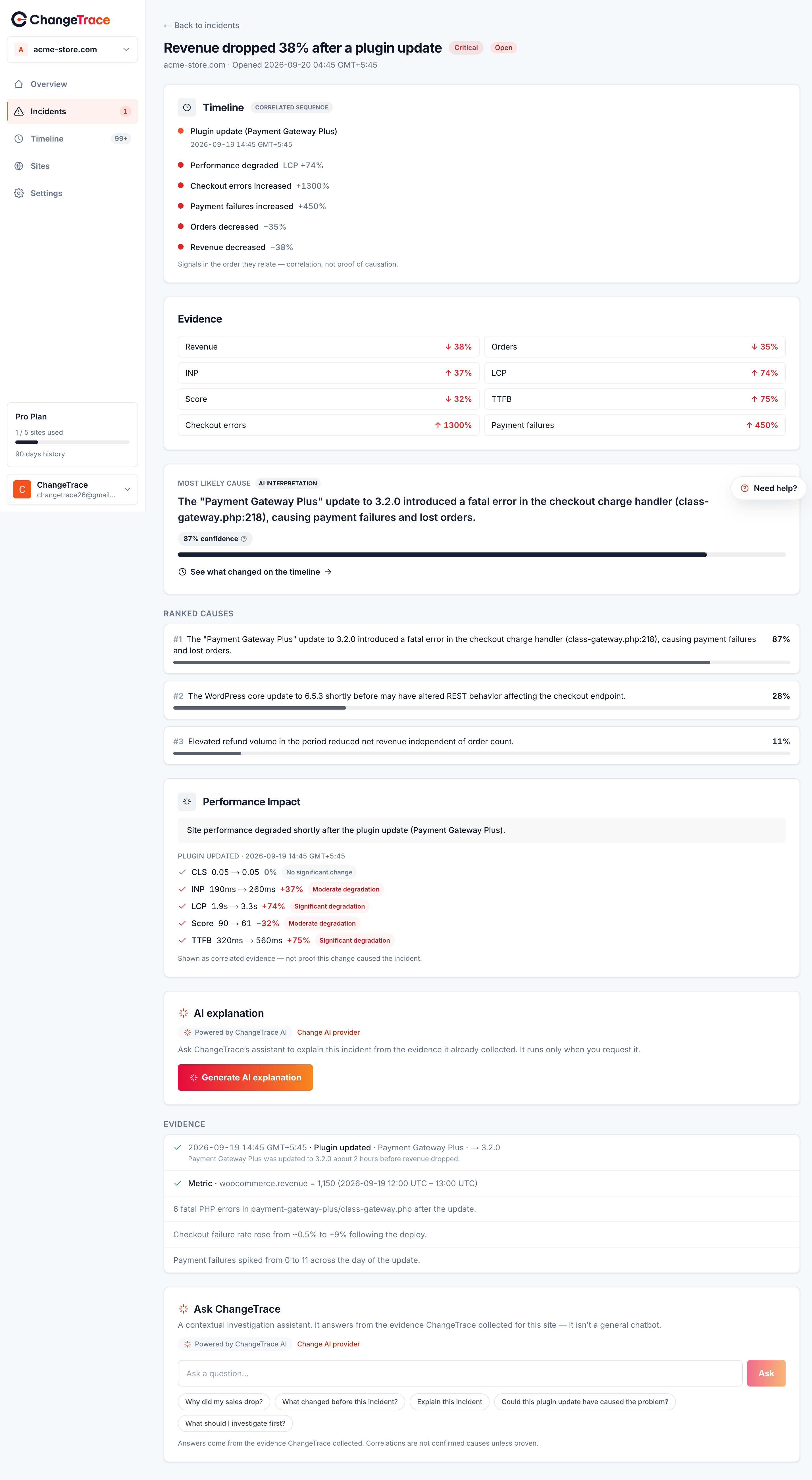
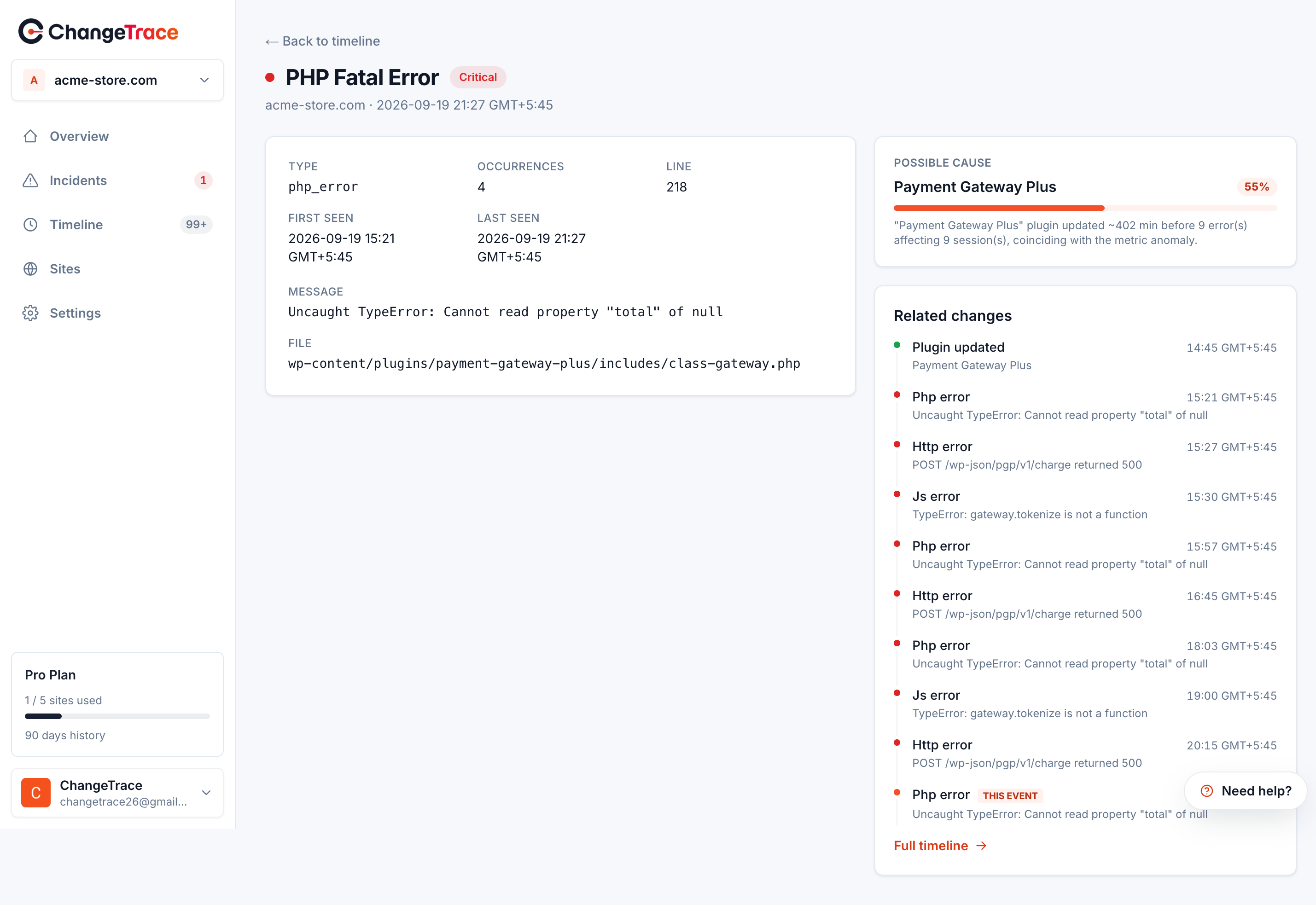
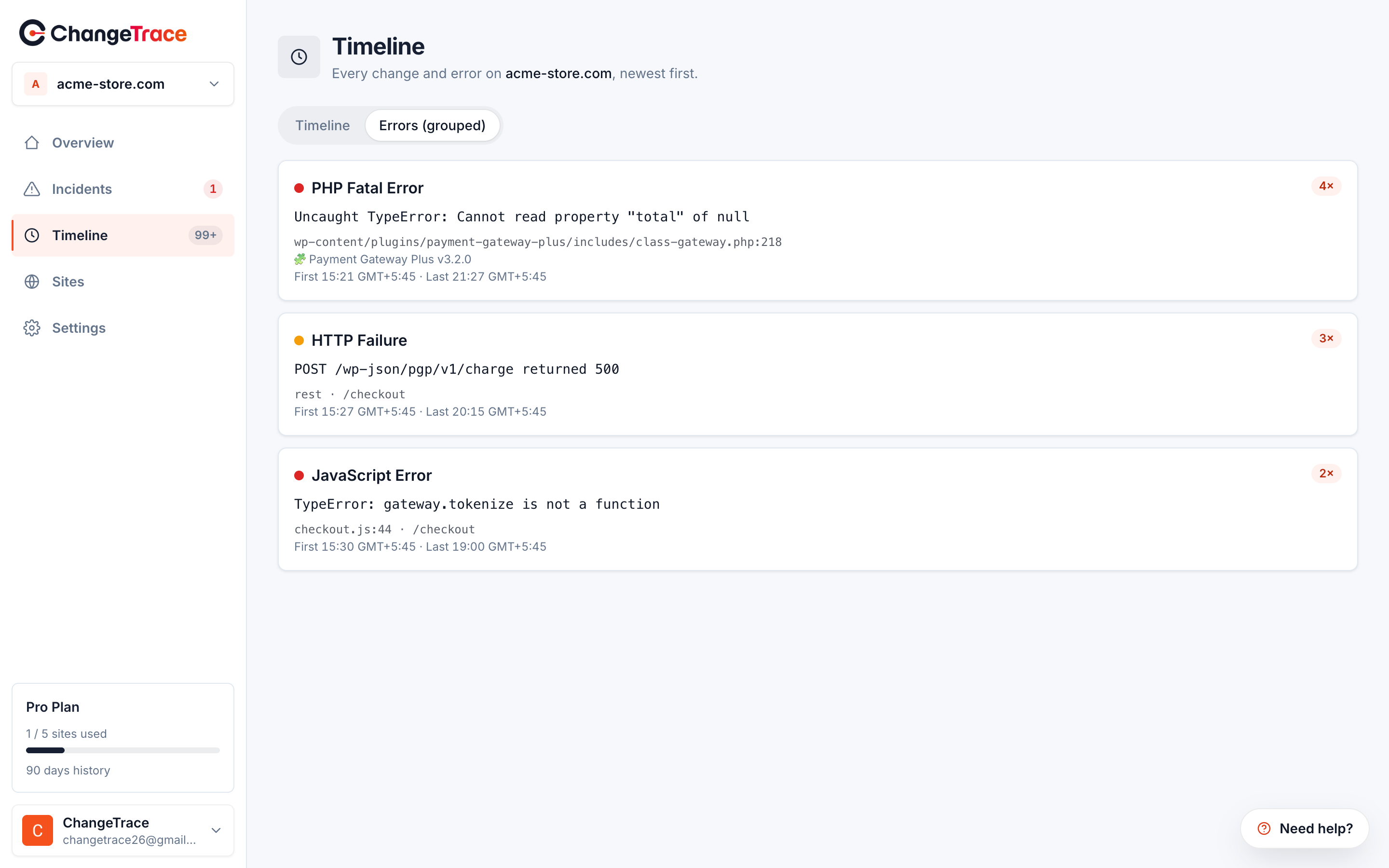
Screenshots
Installation
- Install and activate the plugin from the Plugins screen (or upload the folder to wp-content/plugins/).
- Open ChangeTrace in the admin menu.
- Create an account at https://app.change-trace.com, generate a site token (it starts
with
site_tok_), and paste it into the connect screen.
Advanced: the API, dashboard, privacy, and terms URLs can be overridden in wp-config.php
via CHANGETRACE_API_BASE_URL, CHANGETRACE_APP_URL, CHANGETRACE_PRIVACY_URL, and
CHANGETRACE_TERMS_URL, or via the matching changetrace_* filters.
FAQ
-
Do I need a ChangeTrace account?
-
Yes. ChangeTrace is a hosted service. The plugin is the on-site agent and needs a site
token from https://app.change-trace.com to do anything. -
Does the plugin send any data before I connect it?
-
No. Nothing leaves your site until you paste a valid site token and connect. See the
“External services” section for what is sent afterward. -
Is personal data sent to ChangeTrace?
-
Error payloads are PII-stripped (emails, credentials, form values, card numbers) and
size-capped before being queued and sent. The baseline snapshot contains software
versions and plugin/theme names, not visitor data.Commerce events carry order totals, currency, payment method and order status, plus the
order id — never customer names, addresses, emails, phone numbers or line items. Fields a
customer typed into checkout are discarded outright rather than filtered.Watched-option values are never transmitted; only the option name and a shape summary.
-
Does the plugin slow my site down?
-
Collection is event-driven and the handlers are wrapped so a collector error can never
break a page, a checkout or a purchase. Work on the request path is limited to appending
to a bounded local queue. Sending happens on WP-Cron, not during a page view. Frontend
JavaScript error capture is sampled (about 25% of page loads, capped at 5 errors per load).The plugin does not measure page speed on your server; page performance is measured by
ChangeTrace from outside your hosting. -
How do I stop sending data?
-
Deactivate the plugin, or disconnect the site from the ChangeTrace connect screen. You
can also delete the plugin; it cleans up its stored token and options on uninstall. -
Can I point the plugin at a self-hosted or staging environment?
-
Yes. Define
CHANGETRACE_API_BASE_URL(and optionallyCHANGETRACE_APP_URL) in
wp-config.php.
Reviews
There are no reviews for this plugin.
Contributors & Developers
“ChangeTrace” is open source software. The following people have contributed to this plugin.
Contributors
“ChangeTrace” has been translated into 1 locale. Thank you to the translators for their contributions.
Translate “ChangeTrace” into your language.
Interested in development?
Browse the code, check out the SVN repository, or subscribe to the development log by RSS.
Changelog
0.4.0
- New: plugin installs are reported as their own
plugin_installedevent. Previously a
plugin that appeared on disk without being activated was absorbed silently into the
baseline and could never be offered as a possible cause. - New: theme updates are detected. Only a switch to a different theme was reported
before, so updating the active theme — one of the most common ways to break a site —
produced no event at all. - New: changes to a short, fixed allowlist of high-signal site options are reported
(option_changed): permalink structure, siteurl, home, active plugins, template,
stylesheet, blog_public, core auto-update policy, and WooCommerce payment gateway
settings. Only the option NAME and a summary of its shape (type, size/length and a
short one-way hash) are sent — never the option’s value, because several of these hold
live API keys. No other option is monitored. - New: event types are declared in one place (
includes/Support/Event_Types.php) and
compared against the ChangeTrace API’s own registry by an automated check, so the
plugin cannot ship a type the service does not understand. - Change: readme and the connect screen now disclose WooCommerce/EDD commerce data
(order id, total, currency, payment method, status, refunds, checkout events), which
the plugin has sent since 0.2.0 but did not list. No collection behaviour changed. - Fix: the connect screen and the suggested privacy-policy text claimed the plugin
collects performance metrics. It does not and never has — page performance is measured
by ChangeTrace from outside your hosting, with nothing running in visitors’ browsers.
0.3.1
- Fix: WooCommerce and EDD event collectors did not register their hooks when the
plugin loaded before WooCommerce/EDD (the usual load order), so orders, refunds, and
failed payments were never captured. Hook registration is now deferred until
WooCommerce/EDD is available. - Fix: capture WooCommerce orders at checkout placement via
woocommerce_checkout_order_processed and the block/Store-API
woocommerce_store_api_checkout_order_processed, instead ofwoocommerce_new_order,
which fired at draft creation on block checkout and recorded phantom orders.
0.3.0
- Error capture: PHP fatals/errors (shutdown + error handler, fails silently),
frontend JS errors (window.onerror, unhandled rejections, failed/5xx fetch & XHR;
sampled), and 5xx/timeouts on WordPress’s outbound HTTP + own REST API. - All error payloads are PII-stripped (emails, credentials, form values, card numbers)
and size-capped before queuing.
0.2.0
- Baseline snapshot (plugins, theme, WP/PHP/WooCommerce versions) sent once on connect.
- Bounded local event queue (drops oldest when full) with a scheduled batch sender
(every 5 minutes) that retries with exponential backoff on failure. - Remote config fetch (enabled modules, sampling, heartbeat interval).
0.1.0
- Connection layer: connect screen, secure token storage, hourly heartbeat.
0.0.0
- Initial skeleton. Boots and activates; no detectors wired up yet.