

Description
Having a problem or a question? Please write to the support forum first. I read it and will try to help you before you leave a review.
Bulk Password Protect Post Types lets you choose one or more post types and set one password for every post within them. A visitor sees WordPress’s own password form instead of the text, on the page, in search results, in feeds and in the REST API.
Features
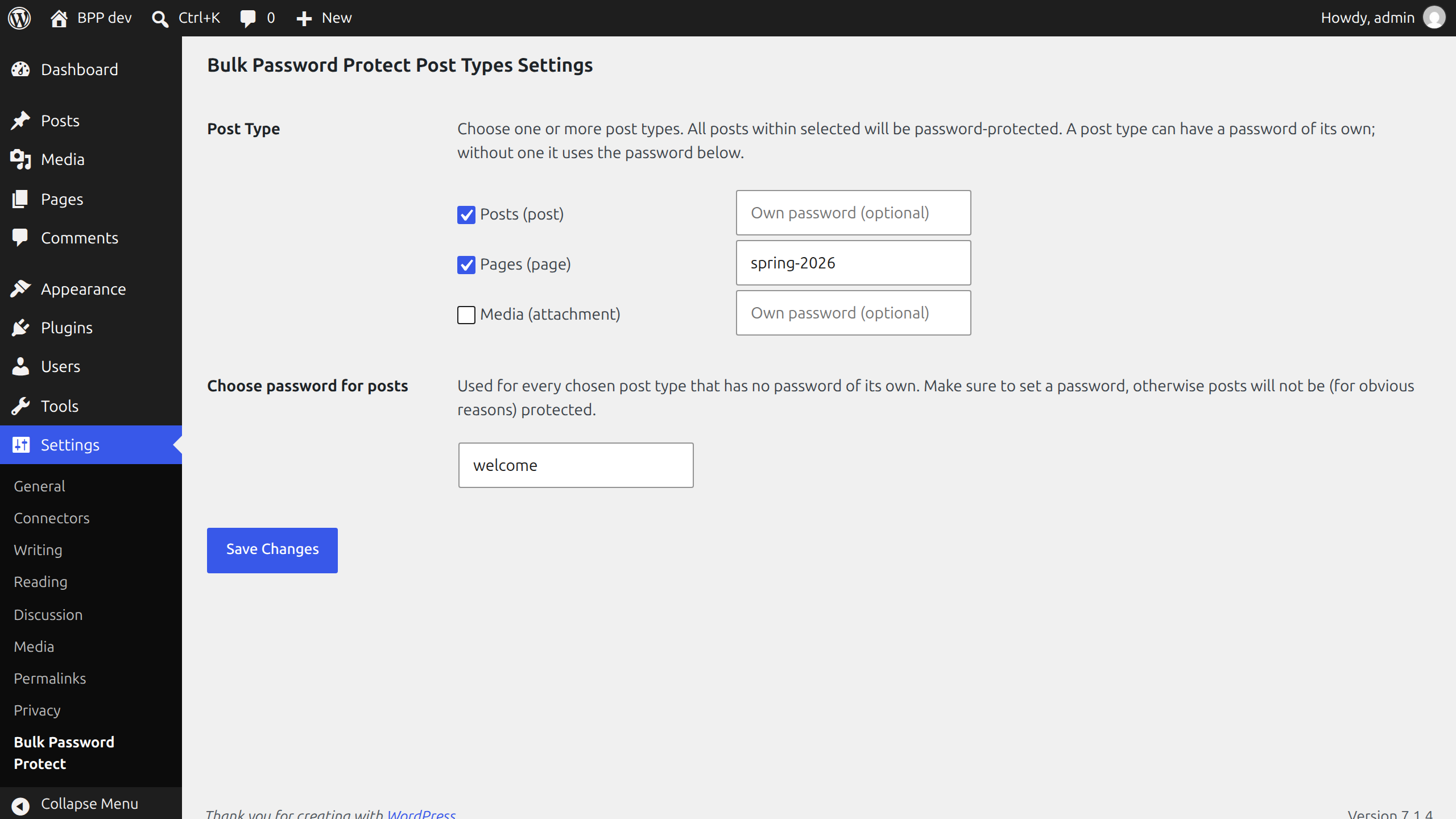
- Lists the post types your visitors can see, custom post types included, by the names the admin menu uses.
- One password for all posts of the chosen types, set in one place.
- Or a password of its own for a post type, when you want different ones.
- Uses WordPress’s own password protection, so the form and the cookie behave as they do for a single protected post.
- Posts you add later to a chosen type are protected from the first moment.
Good to know
- The password is saved in the site’s database as plain text, as WordPress saves the password of a single post. Do not use one you use elsewhere.
- The password of the setting replaces the password a post had of its own, for the post types you chose. A post type without a password, its own or the general one, is left as it is.
- Nothing is written to the posts themselves. Remove a post type from the setting, or deactivate the plugin, and its posts are open again.
Screenshots
Installation
- Upload the plugin files to the
/wp-content/plugins/bulk-password-protect-post-typesdirectory, or install the plugin through the WordPress plugins screen directly. - Activate the plugin through the ‘Plugins’ screen in WordPress.
- Click Settings, or go to Settings Bulk Password Protect.
- Choose one or more post types and a password, and save.
FAQ
-
Does it change my posts?
-
No. The password is applied when a post is loaded, and it is never saved to the post. Deactivate the plugin and the posts are open again.
-
Can I use a different password for each post type?
-
Yes. Type it in the field next to the post type. A post type without a password of its own uses the general password below the list.
-
A post type I use is not in the list.
-
The list shows post types visitors can see (“public” ones). A type that WordPress or a plugin keeps for itself, such as menu items or reusable blocks, is not offered. A type you chose with version 1.0 stays in the list.
-
How do I leave some posts open, for example one category?
-
Use the
pass_protect_all_post_passwordfilter. It gets the password the post would get and the post, and returns the password to use; an empty string leaves the post open. Put this in your theme’sfunctions.phpor in a small plugin of your own:add_filter( 'pass_protect_all_post_password', function ( $password, $post ) { return has_category( 'public-news', $post ) ? '' : $password; }, 10, 2 );The filter runs for every post, also for post types you did not choose, so it can protect a single type of post too: return a password for it.
-
Does it work on a multisite network?
-
Yes, each site has its own settings. Deleting the plugin removes the settings of every site.
Reviews
There are no reviews for this plugin.
Contributors & Developers
“Bulk Password Protect Post Types” is open source software. The following people have contributed to this plugin.
Contributors
Translate “Bulk Password Protect Post Types” into your language.
Interested in development?
Browse the code, check out the SVN repository, or subscribe to the development log by RSS.
Changelog
1.2.0
- New: the
pass_protect_all_post_passwordfilter, to leave some posts open (for example a category) or to protect others. The FAQ has an example.
1.1.0
- New: a post type can have a password of its own.
- New: the list offers the post types visitors can see, as “Posts (post)”, instead of every internal type. A type chosen earlier stays listed.
- Fixed: deleting the plugin on a network removes the settings of every site, not only the main one.
- Fixed: the settings page ended in a fatal error on PHP 8.
- Fixed: a chosen post type with an empty password removed the passwords posts had of their own. Now nothing changes until a password is set.
- Security: the chosen post types and the password are sanitized when saved, and everything on the settings page is escaped.
- The text domain is now
bulk-password-protect-post-types, the plugin’s slug, so wordpress.org translations load. - The Settings link on the Plugins screen follows the site’s admin address.
- Requires WordPress 5.9 and PHP 7.4. Tested with WordPress 5.9, 6.0 and 7.1.
- Added automated tests.
1.0
- First stable version