

Description
SkyeGate is condition-based access for WordPress: recognition, not passwords. Visitors connect a wallet, Ethereum-style wallets approve a quick, free ownership signature (passkey wallets confirm with Face ID), SkyeGate checks the conditions you set through InsumerAPI (the condition-based access API), and qualifying visitors see your content. Nothing to sign up for, nothing to leak, and no personal data collected. Your site never sees balances or holdings, just a signed yes or no.
Free and fully functional. Install, add a shortcode, and start gating content immediately. No API key or account required.
What you can gate by
- Membership passes: recognize community membership passes created with SkyeMeta’s Bothy. Members prove it’s them with a one-time code sent to their email, no wallet app needed
- Token balance: require visitors to hold a minimum amount of any ERC-20 or SPL token
- NFT ownership: require visitors to own an NFT from a specific collection
- EAS attestations: require on-chain attestations via Ethereum Attestation Service
- Native tokens: gate by ETH, SOL, POL, and other native chain tokens
Supported chains
Ethereum, Solana, Polygon, Arbitrum, Base, Optimism, BNB Chain, Avalanche, XRP Ledger, and 23 more (32 blockchains total).
How it works
- Add the
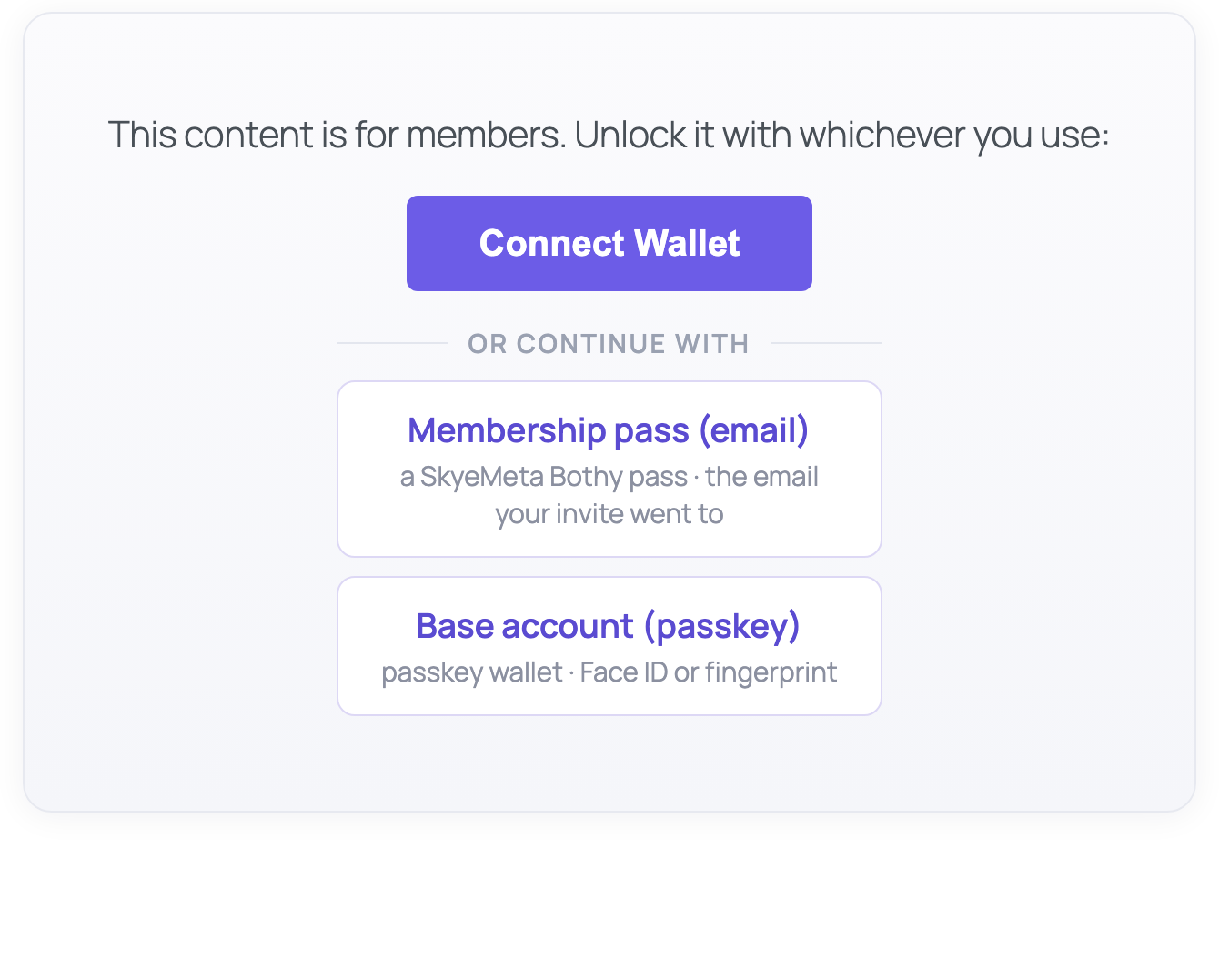
[skyegate]shortcode around any content - Visitors see a “Connect Wallet” button
- After connecting, an Ethereum-style wallet approves a quick, free signature proving it’s really theirs (on Lite, Solana and XRP Ledger wallets are checked without one), and SkyeGate verifies the holdings via InsumerAPI
- If they qualify, the gated content is revealed (loaded server-side, not in page source)
Wallets supported
MetaMask, Phantom (EVM + Solana), Coinbase Wallet, Coinbase Smart Wallet (passkey, no extension needed), and any wallet that supports EIP-6963.
Need more? SkyeGate Pro
The free plugin runs one condition per gate, forever. SkyeGate Pro stacks up to 10 conditions per gate, adds Farcaster conditions, gates on 34 chains, and one license works on both WordPress and Vercel. SkyeGate is part of SkyeMeta’s Recognition Network: one membership, recognized everywhere.
Gating on XRP Ledger? Stay on Lite. Pro asks every visitor’s wallet to sign a free ownership check, and XRP Ledger wallets can’t sign one, so a gate on XRP Ledger stays closed after an upgrade to Pro.
External Services
This plugin connects to two external services for wallet verification. No personal data is collected or transmitted; only public blockchain wallet addresses and your site domain are sent.
SkyeGate API (skyemeta.com)
When a visitor connects their wallet, the plugin sends a POST request to https://skyemeta.com/api/verify with the visitor’s public wallet address, the gate conditions you configured, and your site domain. The service returns a signed verification result. This happens each time a visitor attempts to access gated content. The visitor’s browser also requests a one-time ownership challenge from https://skyemeta.com/api/wallet-proof (sending the wallet address and your site domain) and returns the wallet’s signature of it; the signature goes straight from the browser to the service, your site never handles it, and no personal data is involved.
If a visitor chooses “Membership pass (email)”, the plugin opens a window at https://skyemeta.com/pass/connect/ where the visitor signs in to their Bothy Pass with their email and approves. The email is entered in that window, never on your site. The window sends back only the pass’s public wallet address and a one-time ownership proof, which the plugin then checks like any other wallet.
InsumerAPI (api.insumermodel.com)
To verify that the returned attestation was genuinely signed by InsumerAPI and has not been tampered with, the plugin fetches a public signing key (JWKS) from https://api.insumermodel.com/.well-known/jwks.json. No user data is sent; this is a public key fetch, cached for 24 hours.
Source Code
The unminified source for public/js/skyegate-wallet.js is included in the plugin at src/wallet.js. The minified file is built with Vite using npm run build. The build configuration is in package.json and vite.config.js.
Screenshots

Installation
- Upload the
skyegatefolder to/wp-content/plugins/or install via the WordPress plugin directory - Activate the plugin through the Plugins menu
- Add a
[skyegate]shortcode to any post or page, it works immediately - Optionally configure default chain, button text, and gate style under Settings > SkyeGate
FAQ
-
Do I need an API key to get started?
-
No. SkyeGate includes InsumerAPI verification out of the box. No API key or account required.
-
What wallets are supported?
-
MetaMask, Phantom (EVM + Solana), Coinbase Wallet, and any wallet that supports EIP-6963. Visitors without a wallet extension can use a Coinbase Smart Wallet: a passkey wallet that opens in a popup, no install required.
-
Can I gate by Solana tokens?
-
Yes. Put the token’s mint address in
contract, for example[skyegate chain="solana" contract="<mint address>" threshold="1000"]. Classic Solana tokens and Token-2022 tokens both work. Leavecontractout to gate on SOL itself. Phantom connects automatically for Solana verification. -
Can the gate tell visitors what it recognizes?
-
Yes, if you choose to. Add
recognizedto the shortcode and the gate shows a “Recognized here:” line with the chain name, so visitors know which wallet to bring.- Your own words:
[skyegate contract="0xA0b8..." chain="ethereum" threshold="100" recognized="Hold 100 USDC"] - A description built from the condition:
[skyegate chain="solana" threshold="1" recognized="auto"]shows “At least 1 of the native coin” and “Solana”.
Leave
recognizedout and the gate looks exactly as it did before. It only changes what is displayed: the check is the same either way. After a signed no, a gate that shows what it recognizes says “This wallet does not hold what this gate recognizes”, unless you set your ownfail_message. - Your own words:
-
Can I gate by XRP Ledger tokens and NFTs?
-
Yes. Use
chain="xrpl".- XRP itself:
[skyegate chain="xrpl" threshold="10"] - A token (trust line): put the issuer’s address in
contractand the token’s currency code incurrency, for example[skyegate chain="xrpl" contract="rIssuerAddress..." currency="USD" threshold="100"]. A code is 1 to 40 characters with no spaces, and is sent exactly as you write it. Currency codes on the XRP Ledger are case-sensitive (USDandusdare different tokens), so copy it exactly as the issuer created it. If a code contains symbols a shortcode cannot carry, such as<,>,&,[or], enter its 40-character hex form instead. - An NFT:
[skyegate chain="xrpl" type="nft_ownership" contract="rIssuerAddress..."]accepts any NFT from that issuer. Addtaxon="123"(a whole number from 0 to 4294967295) to accept only one collection under the issuer.
- XRP itself:
-
What does a visitor see if a check cannot be completed?
-
The gate stays closed. A visitor is told their wallet does not meet the requirements only when a signed check says so. If the check could not be completed, they are told it could not be checked right now and offered a Try again button. If the gate’s own setup was declined, they are asked to contact the site owner, and administrators see the reason on the gate.
-
Yes. Gated content is stored server-side and only delivered via AJAX after wallet verification passes. It is not present in the page source.
-
Is user data collected?
-
No. SkyeGate uses InsumerAPI to check on-chain data (token balances, NFT ownership). Verification results are cryptographically signed (ECDSA + JWKS). No personal information, email addresses, or wallet contents are stored.
Reviews
There are no reviews for this plugin.
Contributors & Developers
“SkyeGate” is open source software. The following people have contributed to this plugin.
Contributors
Translate “SkyeGate” into your language.
Interested in development?
Browse the code, check out the SVN repository, or subscribe to the development log by RSS.
Changelog
1.3.12 – 2026-10-20
- A Solana token can now be named by its mint address in either
contractortoken. Before, a mint address intokenwas not used and the gate checked SOL instead. On other chains an address intokennow shows the site owner a message pointing tocontract, and the gate stays closed until it is moved. Token symbols intokenwork as before. - Settings and readme show a Solana token example.
1.3.11 – 2026-10-07
- The membership pass window now opens on skyemeta.com as the Bothy Pass. A member already signed in to their Bothy Pass approves in one tap. Gates, conditions and checks are unchanged.
1.3.10
- Adds “Recognized here”: a gate can now tell visitors what it recognizes, so they know which wallet to bring. Add the new
recognizedattribute with your own words (for examplerecognized="Hold 100 USDC") orrecognized="auto"for a description built from the condition. The chain name is shown beside it. Gates without the attribute look exactly as before. - A gate that shows what it recognizes keeps that line on screen after a signed no, and says the wallet does not hold what the gate recognizes. Your own
messageandfail_messageare left as written. - The attribute only changes what is displayed. The check, and anything already remembered for a visitor, is the same with or without it.
- Updates: the default gate message now says “This content is for holders” where it said “members”. A
messageyou wrote yourself is unchanged.
1.3.9
- Clearer messages at the gate. A visitor is told their wallet does not meet the requirements only when a signed check says so. If a check could not be completed, the gate stays closed, says the wallet could not be checked right now, and offers a Try again button. If the gate’s own setup was declined, the visitor is asked to contact the site owner.
- For administrators: when the verification service declines a gate’s setup, its explanation appears on the gate, visible to administrators only, so a shortcode that needs correcting says what to correct.
- A missing or lapsed ownership signature now says so and lets the visitor sign again.
- Adds XRP Ledger token gates: the new
currencyattribute names a trust line token’s currency code and is checked and then sent exactly as written (codes are case-sensitive). An XRP Ledger token gate that leaves it out, or carries a code that is not well formed, says so on the page for administrators. - Adds the optional
taxonattribute, a whole number from 0 to 4294967295, which limits an XRP Ledger NFT gate to one collection under an issuer. - Updates: the readme states SkyeGate Pro’s chain count as 34.
1.3.8
- Post-quantum companion checking strengthened: the companion signature now has to vouch for every claim in the verification it accompanies, where before it was matched on a few. On hosts that can check companions (PHP 8.4+ with OpenSSL 3.5+), a companion that differs from the signed verification in any claim is refused. Nothing changes on other hosts, and there is nothing to configure.
- Updates: token gates no longer send a decimals value. The token’s own decimals are read from the chain, so the
decimalsattribute is no longer needed. Shortcodes that still carry it keep working. - Adds Robinhood Chain and Arc.
- Updates: Moonbeam and Moonriver are retired. A gate that names either one stays closed and tells the site administrator why.
- Clarifies: an NFT gate with no collection address now says so on the page for administrators.
1.3.7
- A remembered verification now belongs to the visitor who earned it. A verdict was remembered against the wallet address alone, and an address is public, so someone who knew a member’s address could pick up that member’s access during the cache window without proving the wallet was theirs. The ownership signature is now part of what identifies a remembered verdict, and a check on an EVM wallet that carries no signature is declined by the plugin itself.
1.3.6
- The cache duration setting now explains what it does and what to set it to.
1.3.5
- Access now expires exactly when the check behind it does. A returning visitor refreshed their own access without a new check being made, so access could outlast the check that granted it by up to the cache window. It is now capped by the remaining life of that check.
1.3.4
- EAS attestation gates now work from the shortcode. The
templateattribute is read as documented. - Token thresholds are sent as exact decimal strings, matching the current verification contract. Very small and very large thresholds are no longer reshaped in transit.
- Post-quantum companion checking strengthened: a companion is now accepted only from the attestation signing key, and the key named in the response must be the key that actually signed.
- The settings screen reports the outcome of the most recent verification, not just whether this host can check companions.
1.3.3
- Housekeeping: the package no longer includes the build tooling’s dependency lockfile, which WordPress never used. No functional changes.
1.3.2
- Post-quantum companion signatures: InsumerAPI now returns an ML-DSA-65 signature beside the ES256 one. On hosts that can verify it (PHP 8.4+ with OpenSSL 3.5+) the plugin checks it and refuses a companion that fails; on other hosts the ES256 verification stands alone and the settings screen says so. Nothing existing changes.
1.3.1
- Verification now accepts attestations from InsumerAPI’s newer signing keys (key identifier insumer-attest-v2) alongside the original insumer-attest-v1 – required as verification accounts move to the newer keys
1.3.0
- Strengthened wallet verification with an ownership signature: after connecting, the visitor’s wallet approves a quick, free signature (no transaction, nothing to type) proving they control the address – passkey wallets confirm with Face ID or fingerprint
- One signature covers the whole visit – every gate on the page then verifies as usual
- The signature goes straight from the visitor’s browser to the verification service; your site never handles it, and still only ever sees the signed yes-or-no
- Membership pass (email) connections carry the same ownership proof automatically – the pass signs during Approve, nothing extra for the member to do
1.2.0
- New: “Membership pass (email)” on every gate. Visitors whose community pass lives in an email wallet (a SkyeMeta Bothy pass) connect through a secure window on the pass’s own site: they approve once and the gate verifies as usual. No app, no extension, nothing installed
- Clearer gate: “Connect Crypto Wallets” says what it does, the passkey option carries its current Base account name, and each alternative explains who it’s for
- Works alongside every existing wallet connection, nothing changes for MetaMask, Phantom, Coinbase, GemWallet, or Crossmark
1.1.0
- New: Coinbase Smart Wallet (passkey) support. Visitors without a wallet extension can connect with a passkey popup; the Coinbase Wallet SDK ships inside the plugin and loads only when chosen (no CDN)
- Clearer guidance when no browser wallet is detected
1.0.4
- Single-condition gates on 31 blockchains (token balance, NFT ownership, EAS attestation)
- Multi-wallet: MetaMask, Phantom, Coinbase Wallet, and any wallet supporting EIP-6963
- Cryptographically signed verification results (ECDSA + JWKS), verified on the server before content release
- Server-side content delivery: gated HTML is never present in the page source
- Per-visitor session binding so a verification in one browser does not unlock gated content in another
- Built-in caching to minimize verification calls